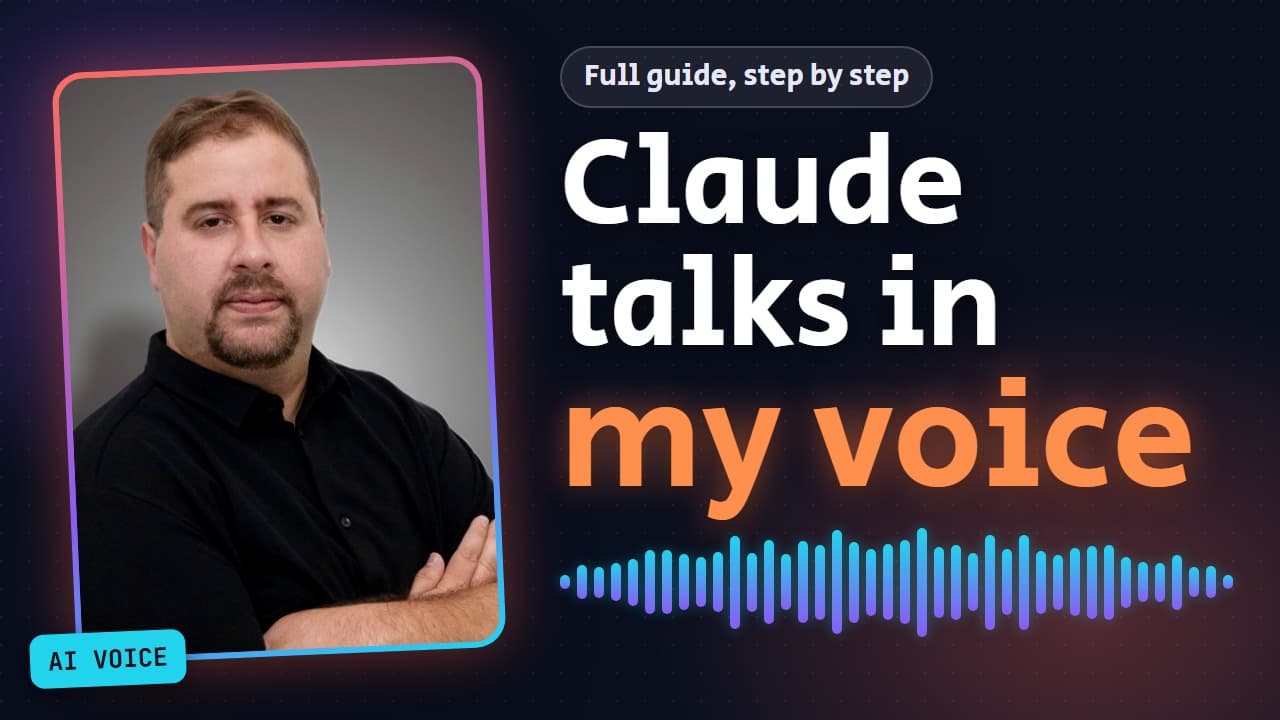
How to Make Claude Create Videos in Your Own Voice: The Complete Guide

The voice in the video below was not recorded: Claude produced it in my cloned voice, through n8n and Google's Gemini TTS. In this guide you will build the same system yourself, step by step, so you can ask Claude for a video and get a finished file in your voice. Your Google API key stays in n8n and never reaches the conversation, and the guide is complete even if you have not watched the video.
What we are building
When Claude runs in the cloud, it works inside a closed sandbox. Your API key is not there, and it cannot reach Google. Giving Claude the key inside the chat is a bad idea, and in the cloud it would not work anyway.
The solution is to put n8n in the middle. It holds the key, and Claude talks only to it. The flow goes like this:
- Claude sends n8n one line of text.
- n8n calls Google, gets an audio file, and saves it in a table.
- n8n returns a link with a random code to Claude.
- Claude downloads the file from the link and goes on to build the video.
The key never enters the conversation, at any point.
On the n8n side you will set up three workflows:
- Worker (
Voice TTS · Worker): calls Google and saves the audio in the table. - Generate (
Voice TTS · Generate): the door that Claude triggers. - Download (
Voice TTS · Download): serves the file by its random code.
At the end you will add a small skill to Claude called voice-narration, which explains how to use all of this.
What you need
- A Google account with access to AI Studio, and a paid API key. Voice cloning does not work with a free key.
- An n8n server that is reachable from the internet, either in the cloud or self-hosted.
- A Claude plan that supports connectors and skills.
Voice cloning is not available everywhere. Check Google's voice cloning documentation to see whether it is available where you are.
You will find all the files of the system in this article, in the "Files" section at the end. The steps refer to it.
What to replace and where
The files contain a few placeholder values that you need to replace. Here they all are in one place:
YOUR_VOICE_ID | Your voice ID (starts with voice_) | The Worker, Call Gemini TTS node |
REPLACE_WITH_voice_tts_files_ID | Pick the voice_tts_files table from the list | Worker: Delete Expired Rows and Store Audio. Download: Find Token Row |
REPLACE_WITH_WORKER_ID | Pick the Worker you imported from the list | Generate, Call Worker node |
https://YOUR-N8N-DOMAIN (including the https://) | The full address of your n8n, for example https://n8n.example.com | Generate, Result node |
YOUR_GENERATE_WORKFLOW_ID | The ID of the Generate workflow | SKILL.md |
YOUR-N8N-DOMAIN (without https://) | The domain of your n8n, for example n8n.example.com | SKILL.md |
Setup steps
Step 1: Clone your voice
- Open the speech generation page in AI Studio: https://aistudio.google.com/generate-speech
- Look at the bottom left corner. It shows the active key, and the voice will be saved in its project.
- In the voices row, click Create new voice.
- Choose Voice Replication (not Voice Design).

- Name the voice and click Record your voice. Record about twenty seconds of natural speech, in a quiet room, with no echo and no background music.
- In the Verify it's you step, click Record verification and read the consent sentence in English. You can only clone a voice that is yours. Make both recordings with the same microphone in the same room.

- Click Replicate voice and wait.
- When it finishes, copy the voice ID. It starts with
voice_. Save it somewhere.

Can't find it on the page? See "How to find your voice ID with curl" below.
Step 2: An API key in the same project
This is the most important part. A voice saved at Google belongs to the project where it was created. A key from another project can't see it, and you will get a 404 error saying the voice was not found.
- In AI Studio go to the Dashboard, then API Keys (or go straight to https://aistudio.google.com/apikey), and click Create API key.
- Choose the project where the voice was created, name the key, and click create.
- Copy the key. It is like a password: never paste it into a conversation with Claude or into code.

Step 3: A credential in n8n
- In n8n, under Personal, open the Credentials tab and create a new credential.
- Search for Google Gemini and choose the type Google Gemini(PaLM) Api.
- Paste the key into the API Key field and give it a clear name, for example
Gemini Voice. - Save. The key is stored encrypted in n8n, and the nodes use it without seeing it.

Step 4: The files table
- In the Data tables tab, create a table called
voice_tts_files. - Add three columns, with exactly these names and types:
token, type stringaudio_b64, type stringcreated_at_ms, type number

Step 5: Import the Worker (first)
- Create a new workflow. In the three-dot menu in the corner choose Import from File and select
worker.json. You will find the contents of the file in the "Files" section at the end of the article. - Open the Delete Expired Rows node. In the Data table field, switch from By ID to From list and choose
voice_tts_files. - Open the Store Audio node and do the same.

- Open the Call Gemini TTS node:
- In Credential to connect with, choose
Gemini Voice. - In the request body (JSON), replace
YOUR_VOICE_IDwith the voice ID you saved.
- In Credential to connect with, choose

- Save. Do not publish the Worker, there is no need.
- The setting "do not save execution data, on success or on failure" is already in the file. It keeps the audio out of the execution data, so it does not flood Claude's conversation.
If you are building the Worker by hand, as in the video, the URL and the expression for Call Gemini TTS are in the worker-http-body.txt file (in the "Files" section). Also turn on Execute Once in the node settings.
Step 6: Import Generate
- Create a new workflow and import
generate.jsonthe same way. - Open the Call Worker node. In the Workflow field choose From list and select
Voice TTS · Worker. - Open the Normalize Input node. The
stylefield holds my locked style, written for Hebrew narration. Rewrite it once to describe your language and tone, for exampleWarm, friendly and clear English narration, natural conversational pace, like a community member explaining a quick how-to to friends., and then keep it fixed. - Open the Result node. In the
urlfield, replace the whole texthttps://YOUR-N8N-DOMAIN, including thehttps://, with the full address of your n8n, for examplehttps://n8n.example.com, with no trailing slash. Leave/webhook/voice-file?token=and everything after it as it is.

- Save.
- Copy the workflow ID from the address bar. It is the string after
/workflow/. You will need it in step 11.
Do not publish Generate. As long as it is not published, its webhook is not live on the internet, and Claude runs it only through MCP. If you publish it, anyone who knows the address can trigger it and burn your Gemini credit.
Step 7: Import Download and publish
- Create a new workflow and import
download.json. - Open the Find Token Row node. In the Data table field choose From list and select
voice_tts_files. - Save and click Publish. This is the only workflow you publish.

Anyone who holds the link can download the file for an hour, so do not pass sensitive text through it.
Step 8: Connect Claude to n8n
- In n8n go to Settings, then Instance-level MCP.
- Make sure MCP status is Enabled. You need owner or admin permission for that.
- Under Workflows enabled, make sure Generate is in the list. If it isn't, add it. Without it Claude can't run it.

- Click Connect, and the Connect a client window opens.
- Stay on the OAuth tab, which is the recommended one, because there is no token to copy.
- Choose Claude.ai and click Add to Claude.ai.
- Claude opens with the connector ready. Approve it there, and also approve in n8n when it asks whether to grant access.

If the button doesn't work: copy the Server URL, and in Claude go to Customize, then Connectors, then Add, and paste it.
Step 9: Approve the domain
The MCP connection already works, but downloading the file is an ordinary network request from inside Claude's environment, and it only reaches approved addresses.
- In Claude's Settings, under Capabilities, click Manage next to Allowed websites, and add the domain of your n8n, for example
n8n.example.com. - Open a new conversation so the setting takes effect.

Step 10: Test
In the new conversation, write to Claude:
Run Voice TTS Generate with this sentence: "Hello, this is a test of my voice." Download the file from the link, and check how long it is.If you got a valid file of a sensible length, everything is connected. Claude can't hear, so listen to the file yourself.

Step 11: The skill
- Create a folder called
voice-narrationand save a file calledSKILL.mdinside it, with the content shown in the "Files" section at the end of the article. - Replace
YOUR_GENERATE_WORKFLOW_IDwith the ID of the Generate workflow from step 6. - Replace
YOUR-N8N-DOMAINwith the domain of your n8n. - Save, and compress the
voice-narrationfolder into a zip file. The zip must contain the folder itself, withSKILL.mdinside it. - In Claude go to Customize, then Skills, then Add, and upload the zip.

The skill tells Claude four things:
- For each narration line, run Generate once, with the right parameters.
- Wait for the run to finish and read only the Result node, so the conversation is not flooded.
- Download the file from the link and check that it is valid.
- Never change the style and never write style directions inside the text.
Step 12: Your first video
Open a new conversation and write a normal request, for example: "Make me a short video on this topic, in my voice." Claude writes a script, triggers n8n for each line, downloads the files, and builds the video.
There is one thing it can't do: it can't listen. Always listen to the result before you publish.

How to find your voice ID with curl
If you couldn't copy the voice ID from AI Studio, you can fetch it with the key you created in step 2. Run the command in a terminal on your own computer, not in a conversation with Claude.
macOS or Linux:
curl -sS "https://generativelanguage.googleapis.com/v1beta/voices?type=replicated" -H "x-goog-api-key: YOUR_API_KEY"Windows PowerShell (type curl.exe, because curl is an alias for a different command):
curl.exe -sS "https://generativelanguage.googleapis.com/v1beta/voices?type=replicated" -H "x-goog-api-key: YOUR_API_KEY"Replace YOUR_API_KEY with your key. In the response, look for the value that starts with voice_ and copy all of it.
When something doesn't work
| A message that the voice was not found (404 error) | The key is from a different project | Create a key in the same project as the voice, and replace it in the credential |
| The voice doesn't sound like you're used to | Someone changed the style | Check that the style is locked in the Normalize Input node as a fixed string |
| Claude triggers the workflow, but the download is blocked | The domain is not on the allowed list, or you need a new conversation | Add the domain in Settings, Capabilities, Allowed websites, and open a new conversation |
| The conversation is flooded with long text | The audio is leaking into the execution data | Make sure the call to Google is in the Worker and not in Generate, and that only Result is read |
Two more things: a saved voice is kept for a year, and after that you need to create it again. And the model has a daily quota (at the time of writing, 100 requests a day on Tier 1, for the whole project). If you see the error Rate limit exceeded, the message itself says when you can try again.
Three things to remember
- The key and the voice are in the same project.
- The style is locked.
- Sensitive text does not go through the link, because it is open to anyone who holds it for an hour.
Links
- AI Studio, speech generation: https://aistudio.google.com/generate-speech
- Creating an API key: https://aistudio.google.com/apikey
- Google's voice cloning documentation: https://ai.google.dev/gemini-api/docs/voice-replication
- n8n: https://n8n.io
- Claude: https://claude.ai
- Connectors in Claude: https://claude.ai/customize/connectors
- Capabilities in Claude's settings: https://claude.ai/settings/capabilities
- Skills in Claude: https://claude.ai/customize/skills
- My site: https://iftah.dev
Files
Here are all the files of the system in full. Save the contents of each block in a file with the name in its heading. Values like YOUR_VOICE_ID stay in the files as they are, and after the import you replace them according to the table above. You can also copy the JSON content of a workflow and paste it (Ctrl+V) straight onto an empty canvas in n8n, instead of using Import from File.
worker.json
The "Voice TTS · Worker" workflow. It calls Google and saves the audio in the table. You import it in step 5.
{
  "name": "Voice TTS · Worker",
  "nodes": [
    {
      "id": "478dc871-8280-4bd7-91cd-eb1d621aa40f",
      "name": "Worker Trigger",
      "type": "n8n-nodes-base.executeWorkflowTrigger",
      "typeVersion": 1.3,
      "position": [
        240,
        300
      ],
      "parameters": {
        "inputSource": "workflowInputs",
        "workflowInputs": {
          "values": [
            {
              "name": "text",
              "type": "string"
            },
            {
              "name": "style",
              "type": "string"
            },
            {
              "name": "token",
              "type": "string"
            }
          ]
        }
      }
    },
    {
      "id": "eb6f617a-d608-4cef-ad64-bbd5b294d947",
      "name": "Delete Expired Rows",
      "type": "n8n-nodes-base.dataTable",
      "typeVersion": 1.1,
      "position": [
        480,
        300
      ],
      "parameters": {
        "resource": "row",
        "operation": "deleteRows",
        "dataTableId": {
          "__rl": true,
          "mode": "id",
          "value": "REPLACE_WITH_voice_tts_files_ID"
        },
        "matchType": "allConditions",
        "filters": {
          "conditions": [
            {
              "keyName": "created_at_ms",
              "condition": "lt",
              "keyValue": "={{ $now.toMillis() - 3600000 }}"
            }
          ]
        }
      },
      "alwaysOutputData": true
    },
    {
      "id": "de1f0477-aab0-4f92-b95e-08840a83b7ec",
      "name": "Call Gemini TTS",
      "type": "n8n-nodes-base.httpRequest",
      "typeVersion": 4.5,
      "position": [
        720,
        300
      ],
      "parameters": {
        "method": "POST",
        "url": "https://generativelanguage.googleapis.com/v1beta/interactions",
        "authentication": "predefinedCredentialType",
        "nodeCredentialType": "googlePalmApi",
        "sendBody": true,
        "contentType": "json",
        "specifyBody": "json",
        "jsonBody": "={{ JSON.stringify({ model: \"gemini-3.8-flash-tts\", input: [ { type: \"user_input\", content: [ { type: \"text\", text: $(\"Worker Trigger\").first().json.text, annotations: [ { type: \"speech_metadata\", style: $(\"Worker Trigger\").first().json.style } ] } ] } ], response_format: { type: \"audio\" }, generation_config: { speech_config: [ { voice: \"YOUR_VOICE_ID\" } ] } }) }}",
        "options": {
          "timeout": 120000
        }
      },
      "executeOnce": true,
      "onError": "continueErrorOutput"
    },
    {
      "id": "4c38b8aa-be30-47be-90d3-8088eb30d598",
      "name": "Return Error",
      "type": "n8n-nodes-base.set",
      "typeVersion": 3.5,
      "position": [
        1200,
        440
      ],
      "parameters": {
        "mode": "manual",
        "includeOtherFields": false,
        "assignments": {
          "assignments": [
            {
              "id": "w-error",
              "name": "error",
              "value": "={{ String($json.error?.description || $json.error?.message || $json.error || \"unknown error\").slice(0, 600) }}",
              "type": "string"
            }
          ]
        }
      }
    },
    {
      "id": "12e535ea-19ab-4bc2-8553-259ee1e344d7",
      "name": "Store Audio",
      "type": "n8n-nodes-base.dataTable",
      "typeVersion": 1.1,
      "position": [
        960,
        300
      ],
      "parameters": {
        "resource": "row",
        "operation": "insert",
        "dataTableId": {
          "__rl": true,
          "mode": "id",
          "value": "REPLACE_WITH_voice_tts_files_ID"
        },
        "columns": {
          "mappingMode": "defineBelow",
          "value": {
            "token": "={{ $(\"Worker Trigger\").first().json.token }}",
            "audio_b64": "={{ $json.steps[0].content[0].data }}",
            "created_at_ms": "={{ $now.toMillis() }}"
          },
          "schema": [
            {
              "id": "token",
              "displayName": "token",
              "required": false,
              "defaultMatch": false,
              "display": true,
              "type": "string",
              "canBeUsedToMatch": true
            },
            {
              "id": "audio_b64",
              "displayName": "audio_b64",
              "required": false,
              "defaultMatch": false,
              "display": true,
              "type": "string",
              "canBeUsedToMatch": true
            },
            {
              "id": "created_at_ms",
              "displayName": "created_at_ms",
              "required": false,
              "defaultMatch": false,
              "display": true,
              "type": "number",
              "canBeUsedToMatch": true
            }
          ]
        }
      },
      "onError": "continueErrorOutput"
    },
    {
      "id": "87f0dfd9-54e4-487e-a5f8-1b607a9705b4",
      "name": "Return Result",
      "type": "n8n-nodes-base.set",
      "typeVersion": 3.5,
      "position": [
        1200,
        200
      ],
      "parameters": {
        "mode": "manual",
        "includeOtherFields": false,
        "assignments": {
          "assignments": [
            {
              "id": "w-chars",
              "name": "base64_chars",
              "value": "={{ $(\"Call Gemini TTS\").first().json.steps[0].content[0].data.length }}",
              "type": "number"
            }
          ]
        }
      }
    }
  ],
  "connections": {
    "Worker Trigger": {
      "main": [
        [
          {
            "node": "Delete Expired Rows",
            "type": "main",
            "index": 0
          }
        ]
      ]
    },
    "Delete Expired Rows": {
      "main": [
        [
          {
            "node": "Call Gemini TTS",
            "type": "main",
            "index": 0
          }
        ]
      ]
    },
    "Call Gemini TTS": {
      "main": [
        [
          {
            "node": "Store Audio",
            "type": "main",
            "index": 0
          }
        ],
        [
          {
            "node": "Return Error",
            "type": "main",
            "index": 0
          }
        ]
      ]
    },
    "Store Audio": {
      "main": [
        [
          {
            "node": "Return Result",
            "type": "main",
            "index": 0
          }
        ],
        [
          {
            "node": "Return Error",
            "type": "main",
            "index": 0
          }
        ]
      ]
    }
  },
  "settings": {
    "executionOrder": "v1",
    "availableInMCP": true,
    "saveDataErrorExecution": "none",
    "saveDataSuccessExecution": "none"
  }
}
generate.json
The "Voice TTS · Generate" workflow. The door that Claude triggers. You import it in step 6.
{
  "name": "Voice TTS · Generate",
  "nodes": [
    {
      "id": "6496b8c4-10a3-40ba-8139-3c94d4262c50",
      "name": "Receive Request",
      "type": "n8n-nodes-base.webhook",
      "typeVersion": 2.2,
      "position": [
        240,
        300
      ],
      "parameters": {
        "httpMethod": "POST",
        "path": "voice-tts-generate",
        "authentication": "none",
        "responseMode": "lastNode",
        "responseData": "firstEntryJson"
      }
    },
    {
      "id": "c68a5f75-3e2e-4d1e-84ac-6587442e882c",
      "name": "Normalize Input",
      "type": "n8n-nodes-base.set",
      "typeVersion": 3.5,
      "position": [
        480,
        300
      ],
      "parameters": {
        "mode": "manual",
        "includeOtherFields": false,
        "assignments": {
          "assignments": [
            {
              "id": "f-text",
              "name": "text",
              "value": "={{ $(\"Receive Request\").first().json.body?.text ?? \"\" }}",
              "type": "string"
            },
            {
              "id": "f-style",
              "name": "style",
              "value": "Warm, friendly and clear Israeli Hebrew narration, natural conversational pace, like a community member explaining a quick how-to to friends. English words pronounced in English.",
              "type": "string"
            }
          ]
        }
      },
      "executeOnce": false
    },
    {
      "id": "0d8248fe-2818-47f9-b17e-86a4cfe6611d",
      "name": "Generate Token",
      "type": "n8n-nodes-base.crypto",
      "typeVersion": 2,
      "position": [
        720,
        300
      ],
      "parameters": {
        "action": "generate",
        "encodingType": "hex",
        "stringLength": 64
      }
    },
    {
      "id": "0143c3cb-c767-44d5-bc2e-7432feac002f",
      "name": "Result",
      "type": "n8n-nodes-base.set",
      "typeVersion": 3.5,
      "position": [
        1680,
        200
      ],
      "parameters": {
        "mode": "manual",
        "includeOtherFields": false,
        "assignments": {
          "assignments": [
            {
              "id": "r-token",
              "name": "token",
              "value": "={{ $(\"Generate Token\").first().json.data }}",
              "type": "string"
            },
            {
              "id": "r-url",
              "name": "url",
              "value": "=https://YOUR-N8N-DOMAIN/webhook/voice-file?token={{ $(\"Generate Token\").first().json.data }}",
              "type": "string"
            },
            {
              "id": "r-chars",
              "name": "base64_chars",
              "value": "={{ $(\"Call Worker\").first().json.base64_chars }}",
              "type": "number"
            }
          ]
        }
      }
    },
    {
      "id": "0a8b2ece-5867-4719-9ba7-a3f251bae033",
      "name": "Call Worker",
      "type": "n8n-nodes-base.executeWorkflow",
      "typeVersion": 1.4,
      "position": [
        1200,
        300
      ],
      "parameters": {
        "source": "database",
        "workflowId": {
          "__rl": true,
          "mode": "id",
          "value": "REPLACE_WITH_WORKER_ID"
        },
        "workflowInputs": {
          "mappingMode": "defineBelow",
          "value": {
            "text": "={{ $json.text }}",
            "style": "={{ $json.style }}",
            "token": "={{ $json.data }}"
          },
          "matchingColumns": [],
          "schema": [
            {
              "id": "text",
              "displayName": "text",
              "required": false,
              "defaultMatch": false,
              "display": true,
              "canBeUsedToMatch": true,
              "type": "string"
            },
            {
              "id": "style",
              "displayName": "style",
              "required": false,
              "defaultMatch": false,
              "display": true,
              "canBeUsedToMatch": true,
              "type": "string"
            },
            {
              "id": "token",
              "displayName": "token",
              "required": false,
              "defaultMatch": false,
              "display": true,
              "canBeUsedToMatch": true,
              "type": "string"
            }
          ],
          "attemptToConvertTypes": false,
          "convertFieldsToString": true
        },
        "mode": "once",
        "options": {}
      }
    },
    {
      "id": "562c0840-6540-4682-a715-b707dbd07707",
      "name": "Worker Succeeded?",
      "type": "n8n-nodes-base.if",
      "typeVersion": 2.2,
      "position": [
        1440,
        300
      ],
      "parameters": {
        "conditions": {
          "options": {
            "caseSensitive": true,
            "leftValue": "",
            "typeValidation": "loose"
          },
          "conditions": [
            {
              "id": "c-worker-ok",
              "leftValue": "={{ !$json.error && Number($json.base64_chars) > 0 }}",
              "operator": {
                "type": "boolean",
                "operation": "true",
                "singleValue": true
              },
              "rightValue": ""
            }
          ],
          "combinator": "and"
        }
      }
    },
    {
      "id": "4b0e28b4-0205-4328-8f0b-37609f246e34",
      "name": "Fail With Worker Error",
      "type": "n8n-nodes-base.stopAndError",
      "typeVersion": 1,
      "position": [
        1680,
        440
      ],
      "parameters": {
        "errorType": "errorMessage",
        "errorMessage": "={{ \"Voice generation failed: \" + ($json.error ?? \"no result from worker\") }}"
      }
    }
  ],
  "connections": {
    "Normalize Input": {
      "main": [
        [
          {
            "node": "Generate Token",
            "type": "main",
            "index": 0
          }
        ]
      ]
    },
    "Receive Request": {
      "main": [
        [
          {
            "node": "Normalize Input",
            "type": "main",
            "index": 0
          }
        ]
      ]
    },
    "Generate Token": {
      "main": [
        [
          {
            "node": "Call Worker",
            "type": "main",
            "index": 0
          }
        ]
      ]
    },
    "Call Worker": {
      "main": [
        [
          {
            "node": "Worker Succeeded?",
            "type": "main",
            "index": 0
          }
        ]
      ]
    },
    "Worker Succeeded?": {
      "main": [
        [
          {
            "node": "Result",
            "type": "main",
            "index": 0
          }
        ],
        [
          {
            "node": "Fail With Worker Error",
            "type": "main",
            "index": 0
          }
        ]
      ]
    }
  },
  "settings": {
    "executionOrder": "v1",
    "availableInMCP": true
  }
}
download.json
The "Voice TTS · Download" workflow. It serves the file by its random code. You import it in step 7.
{
  "name": "Voice TTS · Download",
  "nodes": [
    {
      "id": "b41af513-0e57-42cf-9636-ab4b973d7ef5",
      "name": "Receive Download Request",
      "type": "n8n-nodes-base.webhook",
      "typeVersion": 2.2,
      "position": [
        240,
        300
      ],
      "parameters": {
        "httpMethod": "GET",
        "path": "voice-file",
        "authentication": "none",
        "responseMode": "responseNode"
      }
    },
    {
      "id": "221c92cc-757a-483d-af3c-5b9722e92dc0",
      "name": "Token Format Valid?",
      "type": "n8n-nodes-base.if",
      "typeVersion": 2.2,
      "position": [
        480,
        300
      ],
      "parameters": {
        "conditions": {
          "options": {
            "caseSensitive": true,
            "leftValue": "",
            "typeValidation": "loose"
          },
          "conditions": [
            {
              "id": "c-token-format",
              "leftValue": "={{ $json.query?.token ?? \"\" }}",
              "operator": {
                "type": "string",
                "operation": "regex"
              },
              "rightValue": "^[0-9a-f]{64}$"
            }
          ],
          "combinator": "and"
        }
      }
    },
    {
      "id": "e4d722a8-4715-4fca-9acd-b494f143a8d2",
      "name": "Find Token Row",
      "type": "n8n-nodes-base.dataTable",
      "typeVersion": 1.1,
      "position": [
        720,
        200
      ],
      "parameters": {
        "resource": "row",
        "operation": "get",
        "dataTableId": {
          "__rl": true,
          "mode": "id",
          "value": "REPLACE_WITH_voice_tts_files_ID"
        },
        "matchType": "allConditions",
        "filters": {
          "conditions": [
            {
              "keyName": "token",
              "condition": "eq",
              "keyValue": "={{ $json.query.token }}"
            }
          ]
        },
        "returnAll": false,
        "limit": 1
      },
      "alwaysOutputData": true
    },
    {
      "id": "a9b31e1d-5c9e-405e-8f68-21030ed8d6a8",
      "name": "Row Exists And Fresh?",
      "type": "n8n-nodes-base.if",
      "typeVersion": 2.2,
      "position": [
        960,
        200
      ],
      "parameters": {
        "conditions": {
          "options": {
            "caseSensitive": true,
            "leftValue": "",
            "typeValidation": "loose"
          },
          "conditions": [
            {
              "id": "c-fresh",
              "leftValue": "={{ !!$json.audio_b64 && Number($json.created_at_ms) > $now.toMillis() - 3600000 }}",
              "operator": {
                "type": "boolean",
                "operation": "true",
                "singleValue": true
              },
              "rightValue": ""
            }
          ],
          "combinator": "and"
        }
      }
    },
    {
      "id": "8399da11-530a-4359-a49a-1ccfb93b3da8",
      "name": "Base64 To WAV",
      "type": "n8n-nodes-base.convertToFile",
      "typeVersion": 1.2,
      "position": [
        1200,
        100
      ],
      "parameters": {
        "operation": "toBinary",
        "sourceProperty": "audio_b64",
        "options": {
          "mimeType": "audio/wav",
          "fileName": "voice.wav"
        }
      }
    },
    {
      "id": "85d91f61-0391-449b-833f-08b1b597a116",
      "name": "Respond Audio",
      "type": "n8n-nodes-base.respondToWebhook",
      "typeVersion": 1.5,
      "position": [
        1440,
        100
      ],
      "parameters": {
        "respondWith": "binary",
        "responseDataSource": "automatically",
        "options": {
          "responseCode": 200,
          "responseHeaders": {
            "entries": [
              {
                "name": "Content-Type",
                "value": "audio/wav"
              }
            ]
          }
        }
      }
    },
    {
      "id": "d2933d90-205d-4f09-a5cb-27e90f6897f5",
      "name": "Respond 404",
      "type": "n8n-nodes-base.respondToWebhook",
      "typeVersion": 1.5,
      "position": [
        1200,
        400
      ],
      "parameters": {
        "respondWith": "noData",
        "options": {
          "responseCode": 404
        }
      }
    }
  ],
  "connections": {
    "Receive Download Request": {
      "main": [
        [
          {
            "node": "Token Format Valid?",
            "type": "main",
            "index": 0
          }
        ]
      ]
    },
    "Token Format Valid?": {
      "main": [
        [
          {
            "node": "Find Token Row",
            "type": "main",
            "index": 0
          }
        ],
        [
          {
            "node": "Respond 404",
            "type": "main",
            "index": 0
          }
        ]
      ]
    },
    "Find Token Row": {
      "main": [
        [
          {
            "node": "Row Exists And Fresh?",
            "type": "main",
            "index": 0
          }
        ]
      ]
    },
    "Row Exists And Fresh?": {
      "main": [
        [
          {
            "node": "Base64 To WAV",
            "type": "main",
            "index": 0
          }
        ],
        [
          {
            "node": "Respond 404",
            "type": "main",
            "index": 0
          }
        ]
      ]
    },
    "Base64 To WAV": {
      "main": [
        [
          {
            "node": "Respond Audio",
            "type": "main",
            "index": 0
          }
        ]
      ]
    }
  },
  "settings": {
    "executionOrder": "v1",
    "availableInMCP": true,
    "saveDataSuccessExecution": "none"
  }
}
worker-http-body.txt
The URL and the expression of the Call Gemini TTS node, for anyone building the Worker by hand as in the video.
Call Gemini TTS - the HTTP Request node in "Voice TTS · Worker"

Method: POST

URL:
https://generativelanguage.googleapis.com/v1beta/interactions

Authentication: Predefined Credential Type > Google Gemini(PaLM) Api > your credential
Send Body: on
Body Content Type: JSON
Specify Body: Using JSON

JSON body - paste the single line below into the JSON field. It starts with {{ and ends with }}, without a leading "=". If the field is in Fixed mode, switch it to Expression. Then replace YOUR_VOICE_ID with your voice id (it starts with voice_):

{{ JSON.stringify({ model: "gemini-3.8-flash-tts", input: [ { type: "user_input", content: [ { type: "text", text: $("Worker Trigger").first().json.text, annotations: [ { type: "speech_metadata", style: $("Worker Trigger").first().json.style } ] } ] } ], response_format: { type: "audio" }, generation_config: { speech_config: [ { voice: "YOUR_VOICE_ID" } ] } }) }}

Options > Timeout: 120000
Settings tab > On Error: Continue (using error output)
Settings tab > Execute Once: on
voice-narration/SKILL.md
This is the skill file. Save the content below in a file called SKILL.md inside a folder called voice-narration, replace the two values (YOUR_GENERATE_WORKFLOW_ID and YOUR-N8N-DOMAIN), compress the folder into a zip file and upload it to Claude, as in step 11.
---
name: voice-narration
description: Generates narration or voiceover audio in the user's own cloned voice by calling an n8n workflow that holds the Gemini TTS key. Use whenever the user asks for narration, voiceover, a spoken line, or audio in their voice, for a video, reel, presentation or any other project, in any language.
---

# Narration in the user's cloned voice

The Gemini key lives in n8n. This session has no key and cannot reach Google, so every line goes through the n8n connector. Work one narration line at a time.

## Rules

1. **One `execute_workflow` call per narration line**, on the n8n connector:
   - `workflowId`: `YOUR_GENERATE_WORKFLOW_ID`
   - `executionMode`: `"manual"`
   - `triggerNodeName`: `"Receive Request"`
   - `inputs`: `{"webhookData":{"method":"POST","body":{"text":"<the line>"}}}`

   The call returns only an execution id.

2. **Poll `get_workflow_execution`** with that `workflowId` and `executionId`, `includeData: true` and `nodeNames: ["Result"]`, until `status` is `success` (a few seconds). Read only `Result`: it holds `token`, `url` and `base64_chars`. Never read other nodes, they flood the chat. If the run ends in error, report the message (`Voice generation failed: ...`) and stop. Do not edit the workflows.

3. **Download and verify.** Right away, because the link expires after 1 hour:
   `curl -sS -o line_<i>.wav -w "%{http_code}" "<url>"`
   Expect `200`, then check the file with `ffprobe` (a valid 24 kHz mono WAV). If either step fails, retry once. If it fails again, tell the user.

4. **Never send a style, and never write style instructions inside the text.** The workflow uses one locked style and ignores any other. Anything in `text` is spoken aloud, so put only the words to be spoken there, with no tone, pace or stage directions.

## Also

- You cannot hear audio. When you deliver, say the lines are not verified and ask the user to listen for misread words. To redo a line, call the workflow again.
- Anyone holding a download link can fetch that audio for 1 hour. Do not send sensitive text.
- If the download is blocked (curl cannot connect or returns 403), the n8n domain `YOUR-N8N-DOMAIN` is missing from Settings → Capabilities → Allowed websites. Ask the user to add it and open a new chat.
Wrapping up
So what did we build? Claude asks, n8n holds the key, Google generates, and the link expires after an hour.
If you built this, tell me how it went. And if you want to connect AI to your own product or business, I'm at https://iftah.dev.